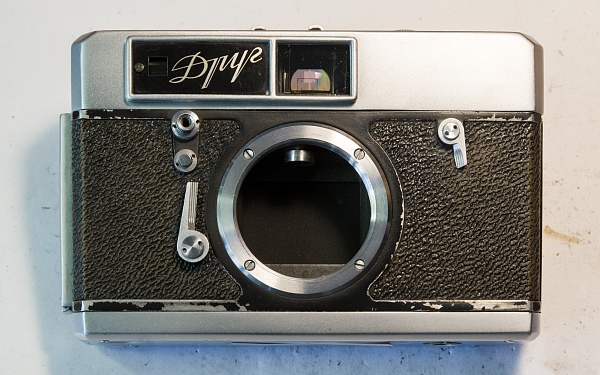
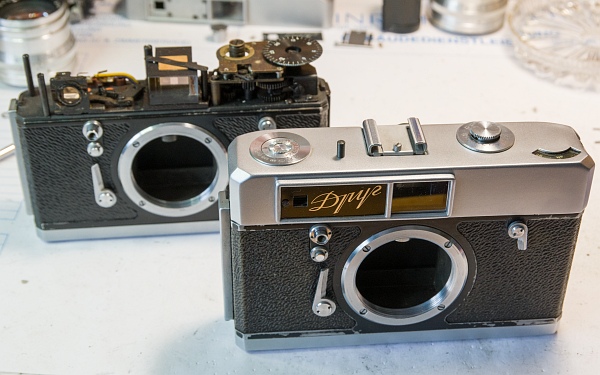
1. Current state
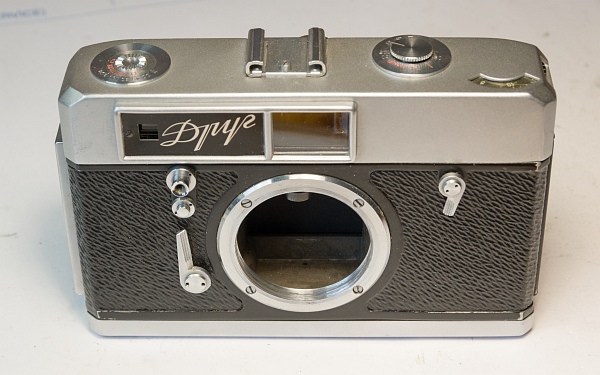
Apart from a bit of wear on the paintwork, it looks good. I'm curious to see what's under the bonnet.
2. Remove the cover
Let’s start taking it apart. As usual, we’ll start by removing the cover.
Remove the grub screws from the speeds-setting knob. There are 3 screws in total.
Once the two screws on the left and right of the cover have been removed, the cover can be moved, but it cannot be removed.
However, I remembered one peculiarity ...
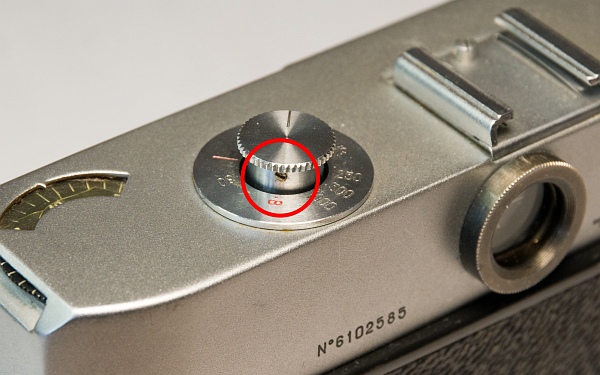
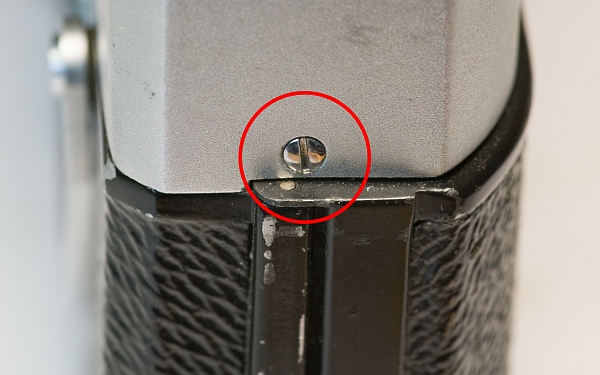
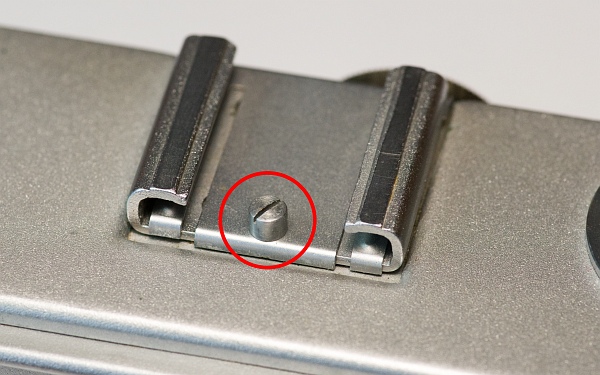
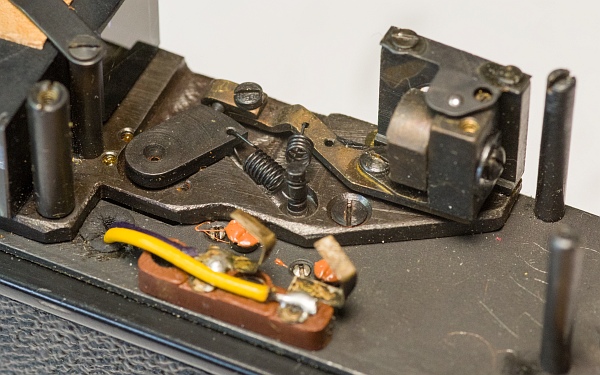
First, you need to remove this screw from the accessory shoe and then take out the metal plate underneath.
A hidden screw will then become visible. Once the screw has been removed, the cover can be taken off.
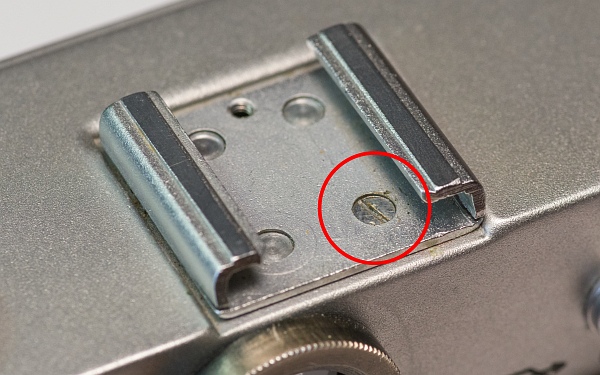
3. Disassemble the interior
At first glance, everything looks quite familiar: there’s a slow-motion mechanism, the disc with the speed markings is there too, and the rangefinder looks familiar as well.
At second glance, everything looks like it’s been redesigned and seems to work differently from what I know.
So, as usual, I started by taking apart all sorts of parts...
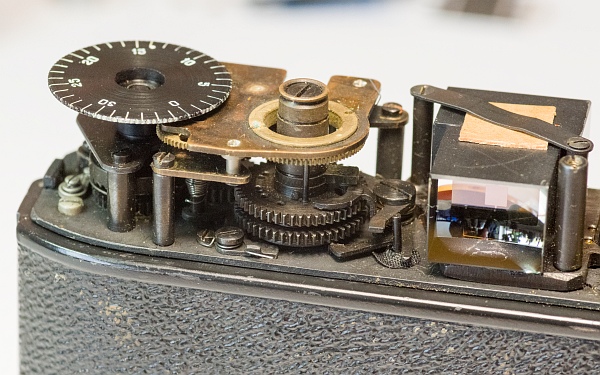
The film counter disc and the slow-speed mechanism must be removed.
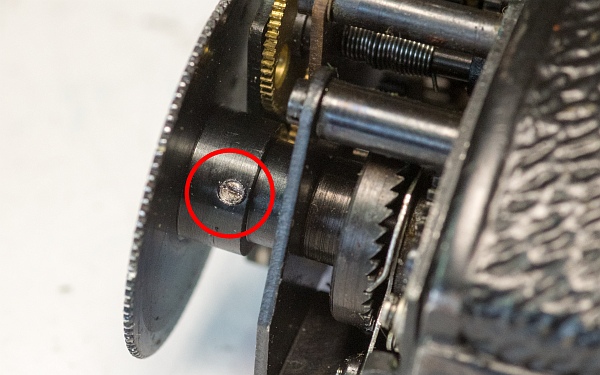
First, remove the small screw beneath the film counter disc (left).
It can then simply be unscrewed (bottom left). When refitting it, take care not to screw it in too far, otherwise the cover will no longer fit.
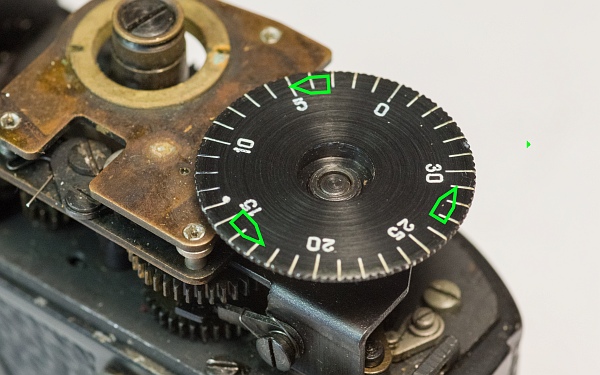
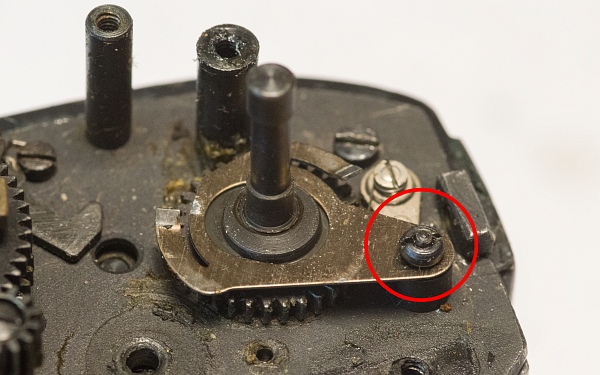
The two screws (below) hold the slow-speed mechanism in place. Unlike the familiar slow-speed mechanisms found in the Zorki 3 and 4, this one cannot be stopped, so it will inevitably run down.
At the very bottom is the slow-speed mechanism itself, and in the detail, the pawl which, as usual, slowly moves a lever that blocks the second curtain during the long times. I will explain the exact position of the pawl and the driver (top right, next to the arrow) during assembly.
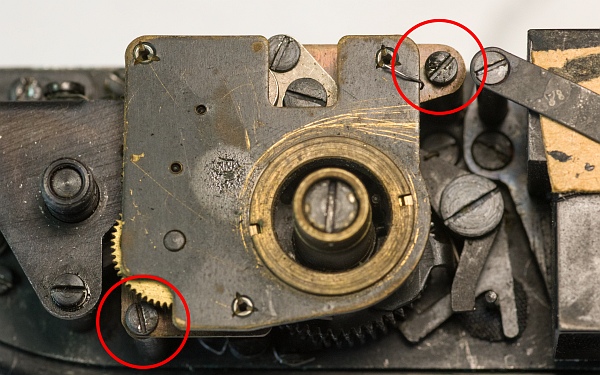


Further parts need to be removed in order to access the chain drive connection and release the jam.
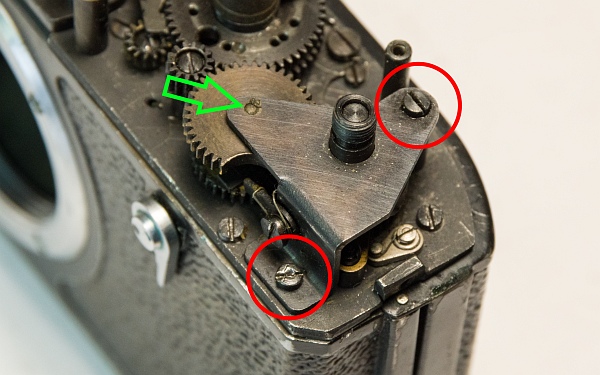
Once the two screws have been removed, the upper part of the film counter can be taken off (left).
You can then remove the double gear. This transfers the tension applied by the rapid-wind mechanism to the gears of the two curtains. Watch out for the small pin, which may fall out! (centre left)
Remove the remaining parts of the film counter. These ensure that the disc can only be moved in one direction (bottom and bottom left).
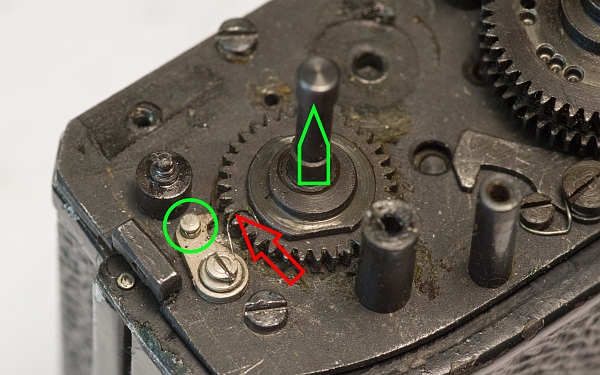
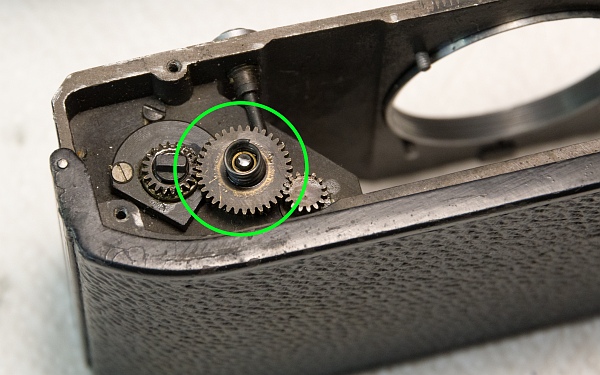
Finally, remove the gear wheel that is connected via a link directly to the shaft leading down to the rapid-wind mechanism. The small spring (red arrow) must be positioned behind the knob within the green circle (at the very bottom).
The rapid-wind mechanism jammed about halfway through the winding process, so all the gears are now in an undefined position. Fortunately, I had a second Droug that I could look under the cover of to see how the gears should be positioned when the mechanism is not tightened.
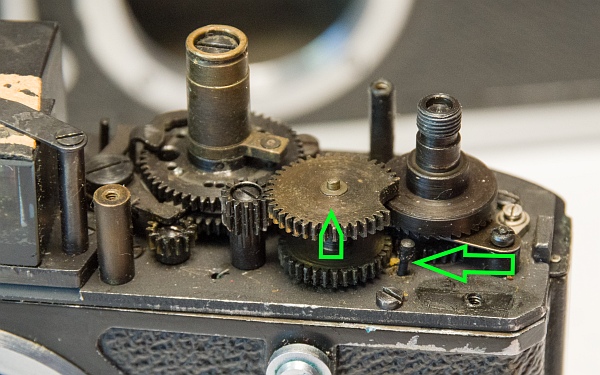
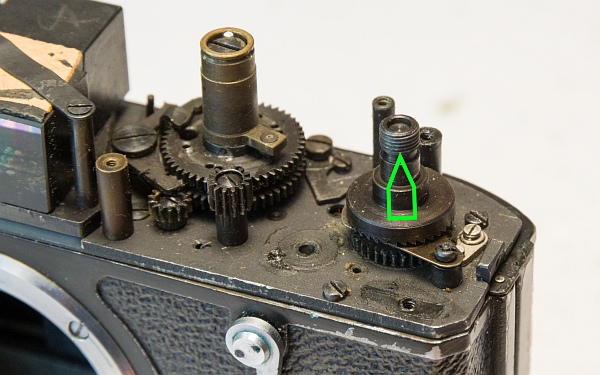
I took some more parts apart because I thought you had to dismantle the Droug like a Zorki to get to the shutter. However, it’s constructed quite differently, so in the end I just ended up with the extra work of putting the parts back together. But you might as well take the opportunity to give it a clean ;-)
I will therefore not show how to remove the parts that are not necessary to access the shutter.
4. Remove the chain drive
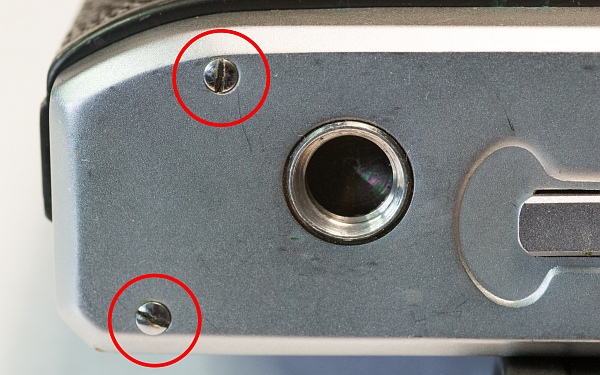
First, we remove the base cover.
Once the 4 screws have been removed, the base can be easily taken off.

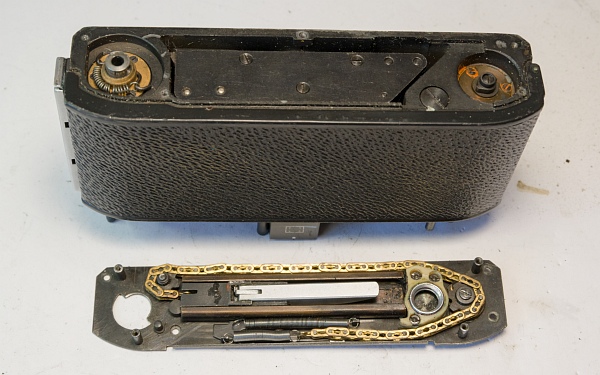
A rather impressive chain drive comes into view.
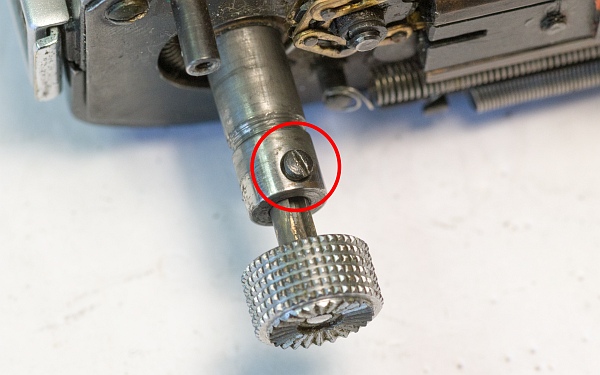
Now we’ll remove the rewind handle. Loosen the screw marked and pull the rewind handle out.

Now we can unscrew the chain drive.

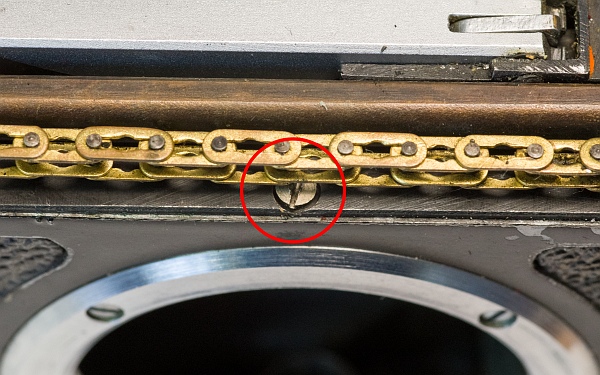
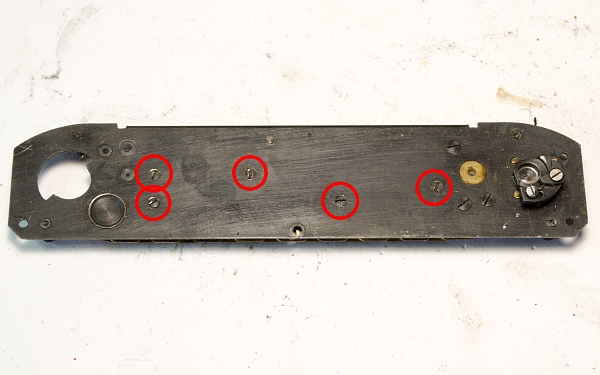
A total of 5 screws hold the chain drive plate in place.
There are 3 larger black screws and 2 others, one of which is located under the chain and the other can only be reached by unhooking the long spring.
The chain drive plate can then be easily removed.
Thanks to the camera’s modular design, it continues to function even when dismantled, making it easier to clean and test.
You can now also see that the shutter is secured with screws from below, making it easier to access. This means there is no need to remove the upper parts (as with a FED or Zorki).


5. Disassemble and clean the chain drive
The chain drive should now be taken apart further and cleaned. Over the years, a fair amount of dirt and debris has built up.
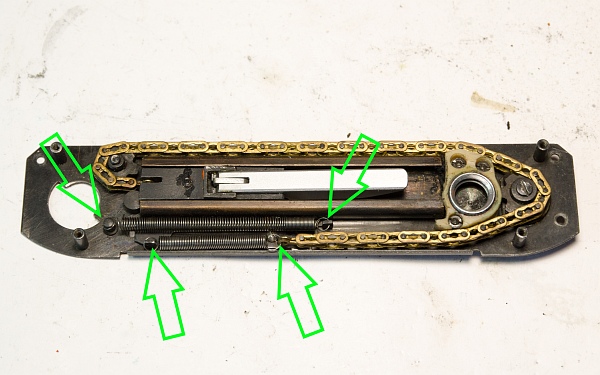
First, we loosen the two springs so that the chain can be removed (left).
On the underside, there are five screws that secure the carriage to the chain-drive lever. These need to be removed (centre left).
The carriage, along with its housing and the chain, can now be removed (below).
When you remove the carriage, you will find 4 small rollers and 2 axles, which can be removed. One of the axles holds the chain in place (below).
All parts should now be thoroughly cleaned.
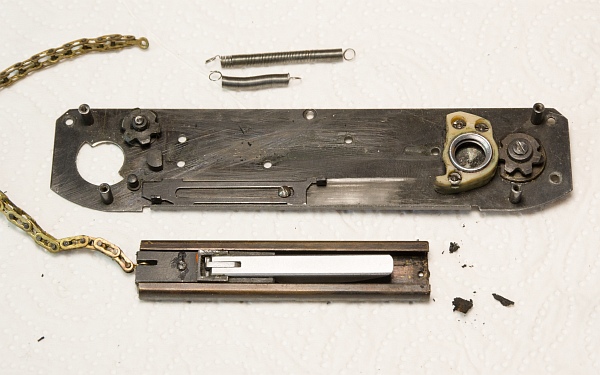
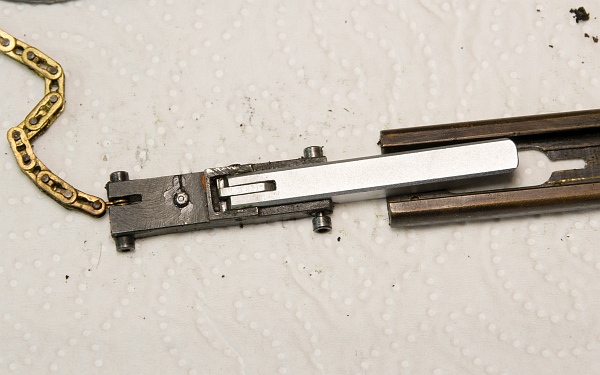
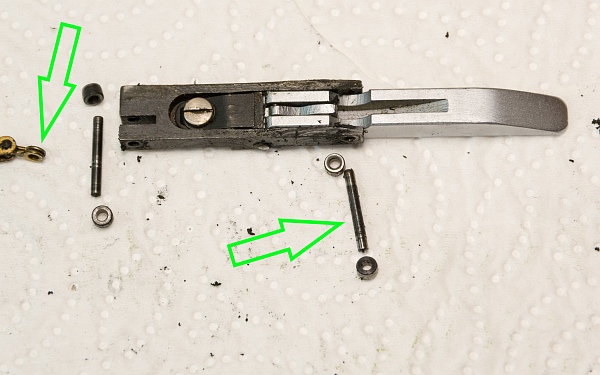
I cleaned the chain with lighter fluid. A surprising amount of dirt came out.
When assembling, apply a little grease to the slide rail. The two pinions should also be oiled.


6. Remove the shutter
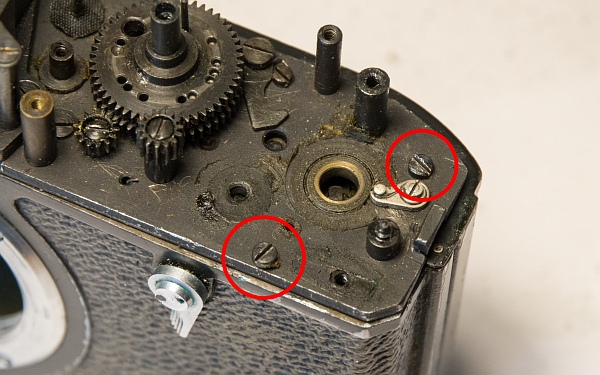
The two screws and the two long screws hold the shutter module in place (left).
The self-timer must be removed. The screw has a standard thread, but can be a bit fiddly to remove (below).
The shutter can then be removed as a fully functional module. This is a first for Zorki cameras.
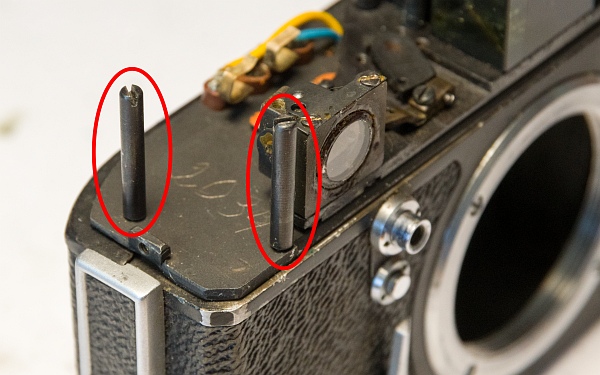
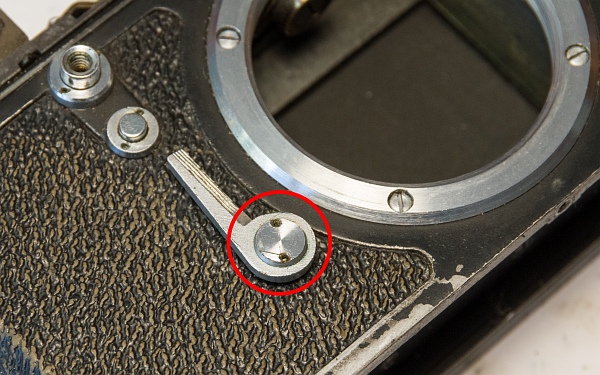
Once the shutter module has been removed, we find a gear and a spring. These are connected to the rewind lock lever.
Remove the spring and the gear. The lever at the front pushes the gear upwards, thereby disengaging the film transport (the small gear). When the lever is moved back to its original position, the spring pushes the gear down again.
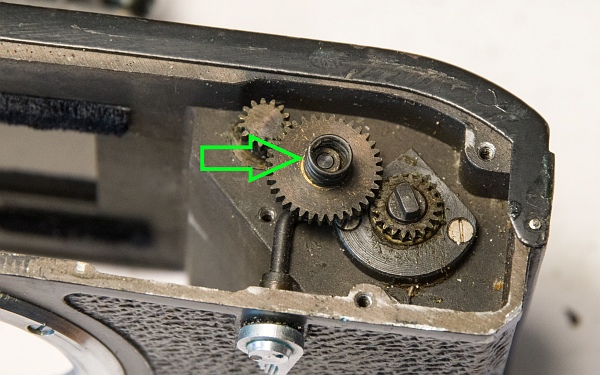
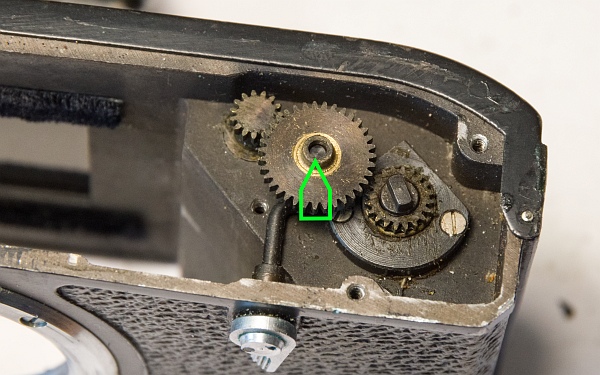
The trigger can simply be pushed out.
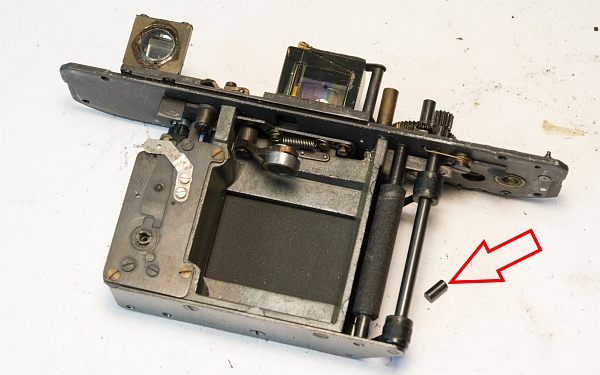
Suddenly, this bolt fell out of the camera. Where on earth does it go? More on that later ...

7. Disassemble the shutter
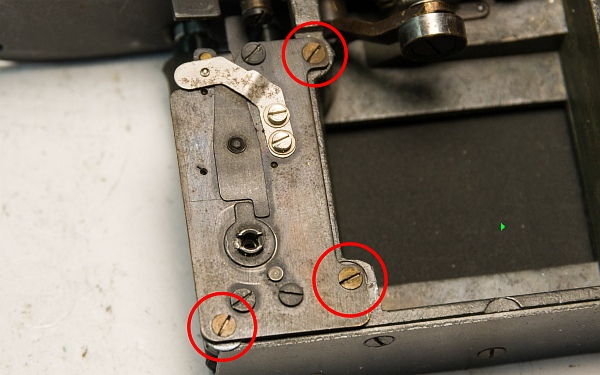
First, we’ll remove the self-timer, as it’s in the way. It’s held in place by these three screws.
The tensioning nuts are located here inside the housing on the top. You can clearly see the two locking screws.
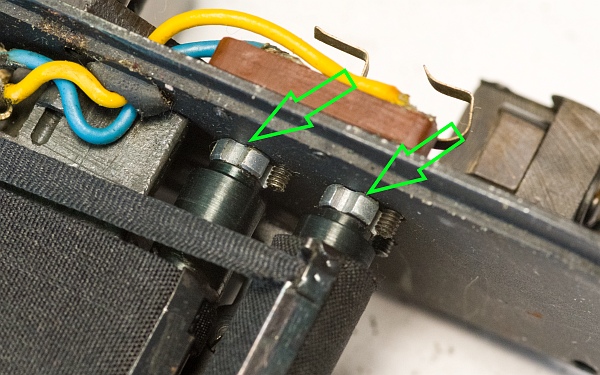
The locking screws are secured at the top with varnish. It is quite hard and sits firmly in the slots of the screws.
Loosen the two larger locking screws until the tension nut at the bottom can move freely. The tension springs should now release. If not, help them along by turning the smaller screws at the top.
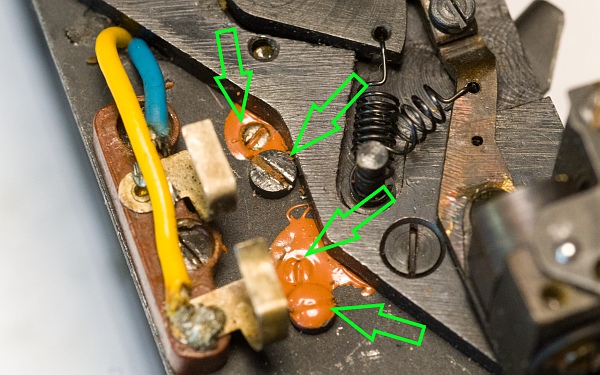
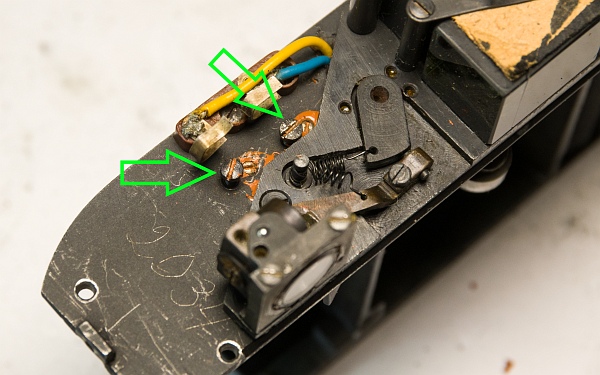
Once the springs are fully released, the bottom cover of the shutter can be unscrewed. Remove the 3 screws.
Once the cover has been removed, we can see the 5(!) rollers of the shutter.
The top left roller is an auxiliary roller for redirecting the straps. Otherwise, the shutter mechanism is constructed completely differently. For example, there is no longer a single large drum. And as you can see, the finish is of a very high standard.


8. Repair the cloth
The tension roller on the first curtain can be easily removed. The fabric is torn in that area.
Surprise! The cloth is 4.3 cm wide! Unfortunately, this means you can't use any standard pre-made clothes that are currently available, since they're usually only 3.2 cm wide.


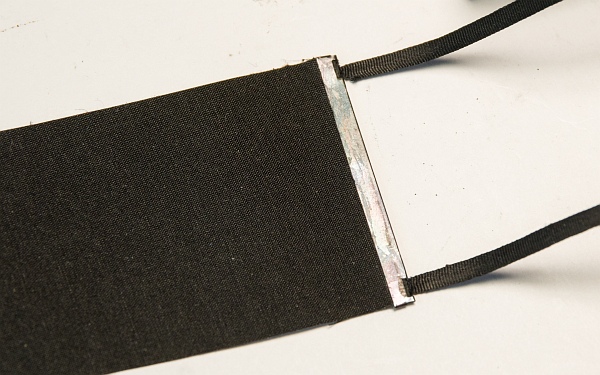
Since wrapping a new piece of fabric around the lath doesn't work (it ends up being too thick there), I decided to cut the fabric and glue the new piece onto the remaining section, which is about 1 cm wide.
The newly applied fabric. As it turned out, however, I had applied it to the wrong side; it came loose again when I cocked the camera and released it. It needs to be applied to the underside.

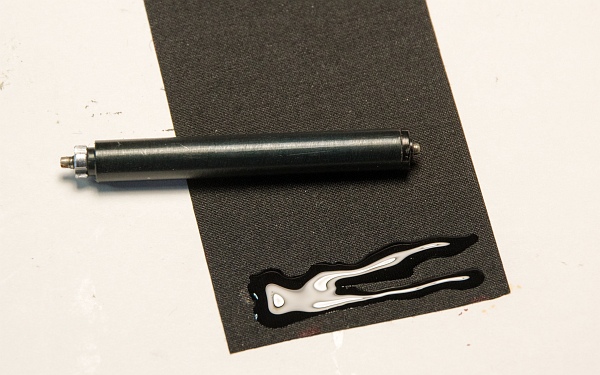
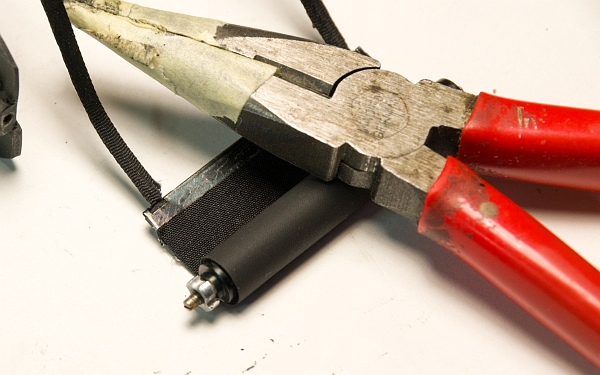
Stick the tension roller back onto the cloth. It doesn't matter where the cloth is positioned on the roller. Just make sure it doesn't roll up crookedly.
Secure the newly applied cloth with a weight until the adhesive has set. Then reinsert the rollers and screw the bottom cover back on. It’s a bit of a fiddly job.
9. Assembly
First, we reinstall the gear and spring for the rewind release (left).
The shutter release button needs to be put back in place. And that’s where the pin that fell out of the camera comes in. It fits perfectly into the shutter release button, so I figured that’s where it belonged. However, it fell out again when I pressed the shutter release button...
Now the shutter can be slid back into the housing and secured with the 4 screws at the top.
Next, we reinsert the gear with the notch. The notch must be in the position it is in when the camera is not cocked (bottom).
Along with the gear, reinsert the gear with the link from the chain drive. Make sure the small spring is properly seated behind the knob on the small lever.

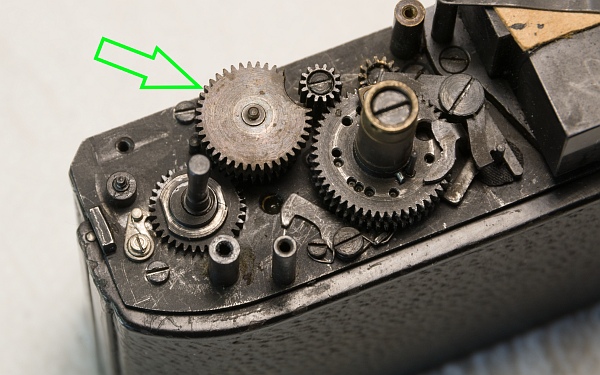
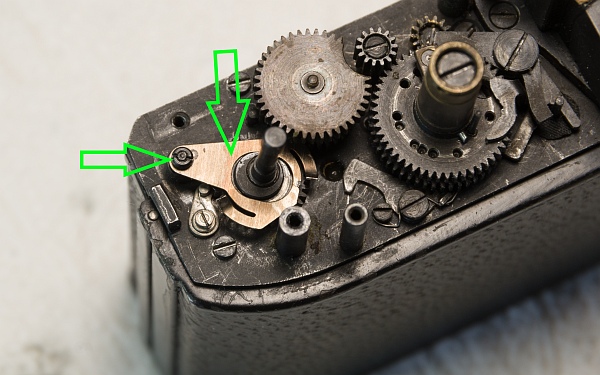
Now reinstall the parts of the counter. First, attach the silver plate the right way up (with the hook facing up) using the small nut (left).
Then slide the upper gear of the counter into place and secure it with the plate.
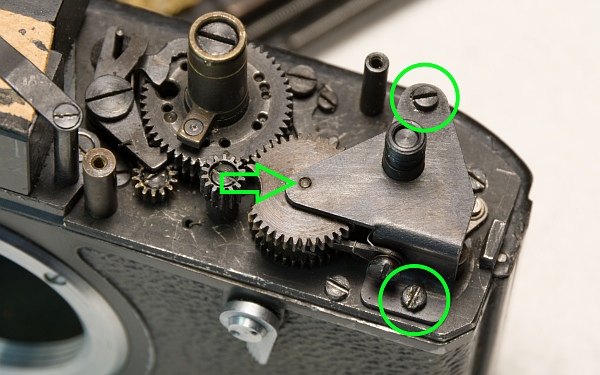
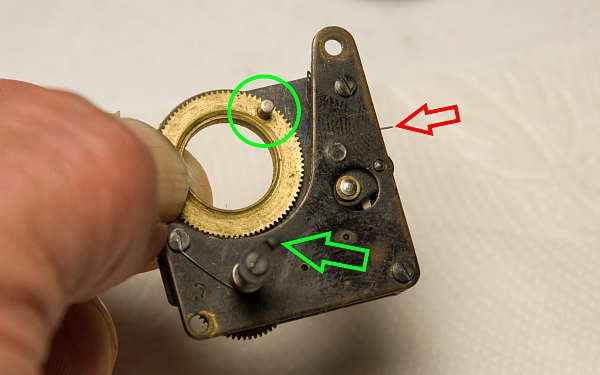
Now the slow-speed mechanism needs to be reinstalled. Since it has run down, it needs to be wound up again. Turn the large gear (about 2 turns) until the pin at the top and the base at the bottom are roughly in this position (at the bottom).
Pay attention to the small spring! It must be in this position.

Everything is now back in place at the top. Next, the chain drive needs to be reattached to the base.
The connection to the top consists of two parts. There are two hooks on the upward-facing shaft (visible at the bottom of the picture), and there is a hook with a spring on the chain drive that snaps into the hooks on the upward-facing shaft (visible at the top of the picture).
The two hooks must be close together; otherwise, there will be slack when cocking the camera with the rapid-wind mechanism, which means the camera cannot be cocked in one smooth motion.
10. Rangefinder
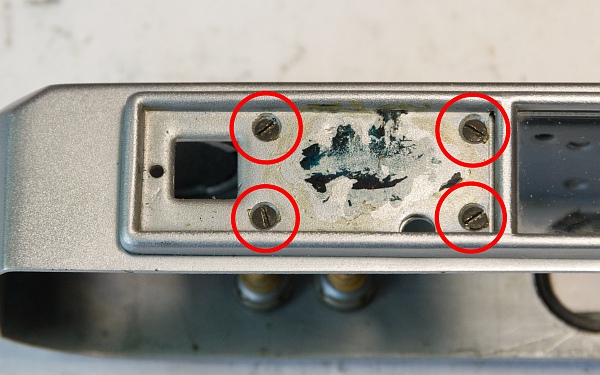
After removing the 4 screws, the rangefinder frame can be removed.
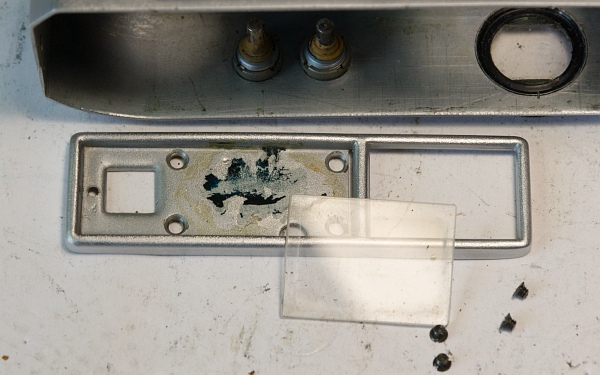
The rangefinder window glass can then be removed and cleaned.
The rangefinder can be adjusted in two ways. To adjust the vertical offset, turn the lens on the left in the picture. Turning it to the right moves the split image further down in the rangefinder.
The horizontal offset is adjusted using the small screw on the right in the image. Turning it to the right moves the double image toward infinity.

11. Result
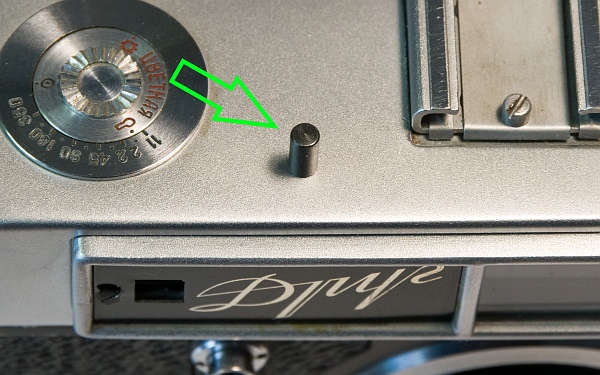
Now we just put the cover back on, and voila!
On the left is the bolt that fell out of the camera. It works perfectly fine without it. I suspect the bolt was what caused the camera to jam and isn’t actually supposed to be part of it.
At the bottom left is the Droug, working again. In the picture on the right, you can see her friend next to her, who was a huge help ;-)